 Abeautifulsnow
310cc22b37
Abeautifulsnow
310cc22b37
* fix(structure-editor): disable table comment input for databases that don't support comments (e.g. SQLite)

## 背景说明
SQLite 不支持表注释(COMMENT),但表注释输入框始终可编辑。用户修改注释后,SQL 预览显示暂无变更且应用变更按钮不可用,造成困惑的 UX。

## 修改内容
- 新增 isTableCommentDisabled 计算属性,基于 structureCapabilities.comment 控制禁用状态
- 表注释 Input 添加 :disabled 绑定,禁用时输入框变灰不可编辑
- 禁用时在输入框右侧显示 Info 图标,hover 显示 Tooltip 说明
- 三语言(zh-CN / en / es)新增 tableCommentUnsupported 翻译

## 影响范围
- SQLite、DuckDB 及未知数据库类型:输入框被禁用 + Tooltip 提示
- MySQL、PostgreSQL、ClickHouse 等支持注释的数据库:完全不受影响
- 后端 generate_comment_ddl 已有对等过滤(仅 Postgres/Oracle/ClickHouse 生成 COMMENT SQL)

## 测试
- 建议补充:dbType 为 sqlite 时 isTableCommentDisabled 为 true 的单元测试

* test(structure-editor): add tests for table comment disabled state and unsupported DB capabilities






Why DBX?
🪶 15 MB, zero runtime bloatNo Java JRE. No Python venv. No bundled Chromium. DBX ships as a single small binary — download, install, connect. DBeaver needs Java; TablePlus is macOS-only. DBX runs everywhere with nothing extra. |
🤖 AI that lives in your editorHighlight a table, describe what you want, get SQL back — no copy-paste between tools. Works with Claude, OpenAI, or local models via Ollama. Built-in safety checks review AI-generated SQL before it runs. |
🔌 MCP: your databases, AI-readyDBX speaks the Model Context Protocol. Claude Code, Cursor, Windsurf, and other AI coding agents can query your databases through connections you already set up. One config, everywhere. |
🌐 Desktop + Docker + WebNative app on macOS, Windows, and Linux. Self-host via Docker for team access. Web version for browser-only environments. Same feature set. Same connections. |
Features
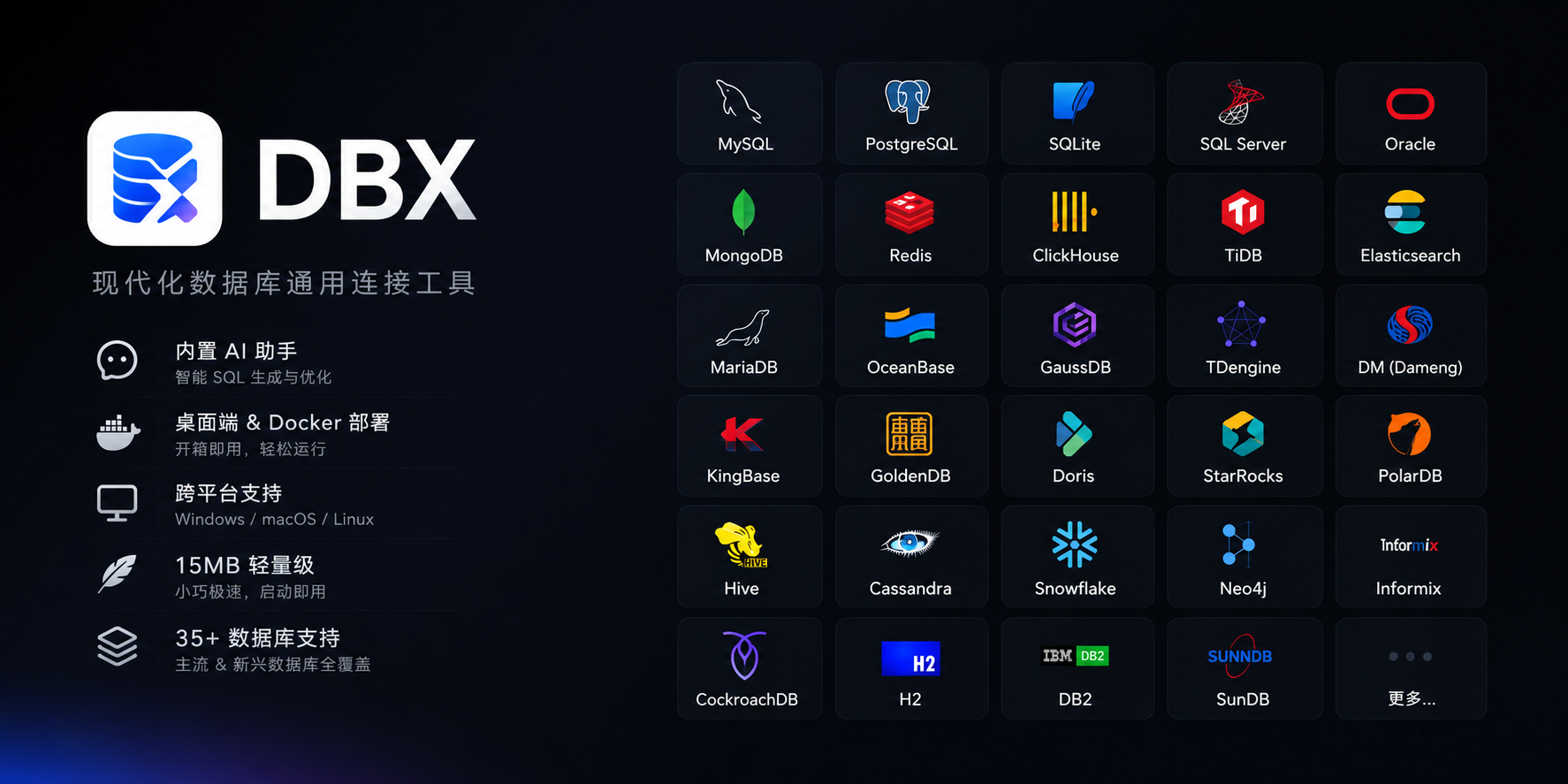
40+ Databases, One Tool
MySQL, PostgreSQL, SQLite, Redis, MongoDB, DuckDB, ClickHouse, SQL Server, Oracle, Elasticsearch, MariaDB, TiDB, OceanBase, openGauss, GaussDB, KingBase, Vastbase, GoldenDB, Doris, SelectDB, StarRocks, Redshift, DM, TDengine, CockroachDB, Access, HighGo, and more. Agent/JDBC-oriented profiles extend DBX to H2, Snowflake, Trino, Hive, DB2, Informix, Neo4j, Cassandra, BigQuery, Kylin, SunDB, and custom JDBC connections. All in a single ~15 MB app. No bundled Chromium.
Query Editor
CodeMirror 6 with SQL syntax highlighting, metadata-aware autocomplete, Cmd+Enter execution, selected SQL execution, SQL formatting, diagnostics, and 9 editor themes. Persistent query history, saved SQL snippets, tab restore, and SQL file execution keep repeat work close at hand.
AI SQL Assistant
Describe what you want in plain language — get SQL back. DBX can explain queries, optimize SQL, fix errors, and run AI-generated SQL through built-in safety checks. Works with Claude, OpenAI, local models, or any OpenAI-compatible endpoint.
Data Grid
Virtual-scrolled table that handles large result sets. Inline editing, SQL preview before save, WHERE / ORDER BY controls, DataGrip-style filters, LIKE / NOT LIKE context filters, sorting, full-text search, pagination, column resize, auto-fit, row numbers, zebra stripes, and full cell details. Export or copy as CSV, JSON, Markdown, XLSX, or INSERT statements.
Schema Tools
- Schema browser — databases, schemas, tables, columns, indexes, foreign keys, triggers, with sidebar search & pin
- Object browser — grouped procedures, functions, views, and source editing where supported
- Table structure editor — reviewable column and index changes for supported engines
- ER diagram — visualize table relationships
- Schema diff — compare structures across connections
- Explain plan — visual query execution plan
- Field lineage — column-level lineage analysis
- Database search — find objects across large schemas
Data Operations
- Table import — CSV, Excel
- Data transfer — migrate between databases
- Database export — full database dump
- Data compare — compare table data and review synchronization output
- SQL file execution — run
.sqlfiles directly - File preview — drag & drop Parquet, CSV, JSON to preview instantly (powered by DuckDB)
- Connection import — bring connection profiles from DBeaver or Navicat
Specialized Browsers
- Redis — key pattern search, batch key operations, command runner, TTL editing, and all data types (String, Hash, List, Set, ZSet, Stream)
- MongoDB — document CRUD with pagination, Atlas & replica set URL connection
Safety & Connectivity
SSH tunnel (key & password) · database and AI proxy settings · auto-reconnect on connection loss · confirmation dialogs for destructive operations · encrypted config export/import · color-coded connections · driver store and optional JDBC plugin
Polished UI
Dark mode with native title bar sync · 9 editor themes · English, 简体中文 & Español · layout preferences · built-in auto-update
AI Agent Integration (MCP)
DBX provides an MCP server that lets AI coding agents query your databases using connections already configured in DBX.
npx @dbx-app/mcp-server
Add to your .mcp.json:
{
  "mcpServers": {
    "dbx": { "command": "npx", "args": ["-y", "@dbx-app/mcp-server"] }
  }
}
Works with Claude Code, Cursor, Windsurf, and any MCP-compatible agent. Supports listing connections, browsing tables, executing SQL, and opening tables directly in DBX's UI.
DBX also provides a dedicated CLI package for terminal, script, and Codex workflows:
npm install -g @dbx-app/cli
dbx connections list --json
dbx query local "select 1" --json
See the MCP server README and CLI README for details.
Install
Download the latest release from the Releases page.
Homebrew (macOS):
brew install --cask t8y2/tap/dbx
Scoop (Windows):
scoop bucket add dbx https://github.com/t8y2/scoop-bucket
scoop install dbx
Self-Hosted (Docker)
DBX provides a web version that can be deployed via Docker.
docker run -d --name dbx -p 4224:4224 -v dbx-data:/app/data t8y2/dbx
Or with Docker Compose. A ready-to-use example lives at deploy/docker-compose.yml:
services:
  dbx:
    image: t8y2/dbx
    ports:
      - "4224:4224"
    volumes:
      - dbx-data:/app/data
    restart: unless-stopped

volumes:
  dbx-data:
Open http://localhost:4224 in your browser. Multi-arch images (amd64 / arm64) are available.
Getting Started
Prerequisites
System Dependencies
macOS:
No additional dependencies required.
Linux (Ubuntu/Debian):
sudo apt-get install -y libwebkit2gtk-4.1-dev libgtk-3-dev libappindicator3-dev librsvg2-dev patchelf libssl-dev
Windows:
No additional dependencies required.
Development
pnpm install
pnpm dev:tauri
Web version:
pnpm dev:web       # frontend
pnpm dev:backend   # backend
Build
pnpm tauri build
The installer will be in src-tauri/target/release/bundle/.
Tech Stack
| Layer | Technology |
|---|---|
| Framework | Tauri 2 |
| Frontend | Vue 3 + TypeScript |
| UI | shadcn-vue + Tailwind CSS |
| Editor | CodeMirror 6 |
| Backend | Rust + sqlx / tiberius / redis-rs / mongodb |
Community



